 NG AI SOC
Every detection judged, with the evidence
An AI analyst searches your SIEM to see how big a detection really is, then writes its verdict and the searches behind it on the case. An analyst approves anything that closes or changes a case.
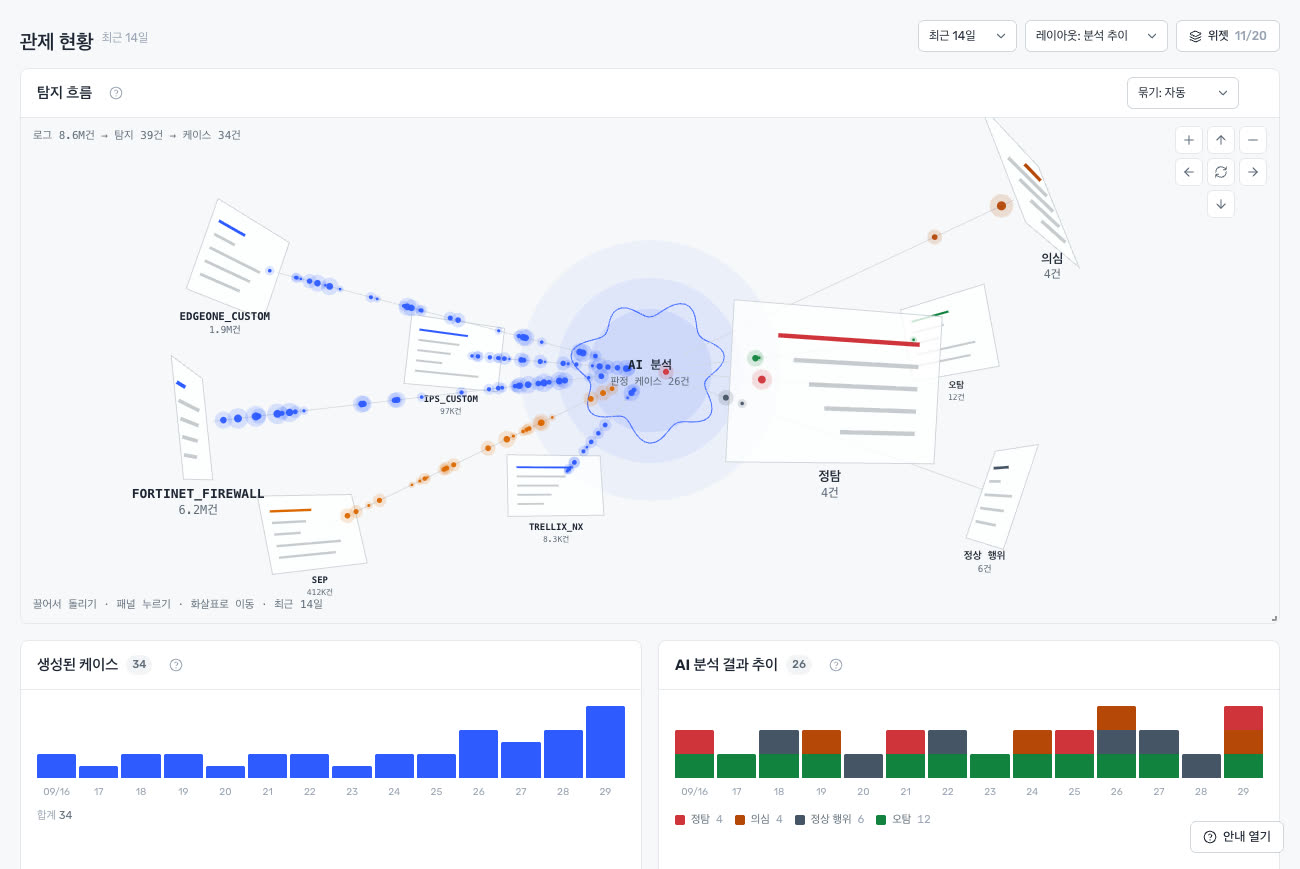
The demo's overview, shown in Korean. All data belongs to an invented customer.
Three analysts' work, shared out
It answers the detections that arrive, and looks where no detection fired.
First look at every detection
New cases are analysed as they arrive. It searches the SIEM for the real count and a 30-day baseline, not just the alert's sample, and returns a verdict: true positive, suspicious, benign or false positive.
Threats with no alert
A one-line hypothesis or a list of indicators becomes searches across your estate. What it finds comes with its searches; what it doesn't find comes with what it searched.
Drafts the rule you're missing
From one threat it drafts a rule, then checks whether your logs can see it and how often it would fire. An analyst installs it.
Evidence before judgement
You can trust a verdict only if you can follow where it came from.
- Every finding has its search. Which query, how many results, right on the case.
- Cited values are rechecked. An IP, account or hash that isn't in the results is flagged.
- Zero results never reads as "clean". A log you don't ingest is reported as "no way to see".
- It learns from analysts. A different close verdict is read by the next run.
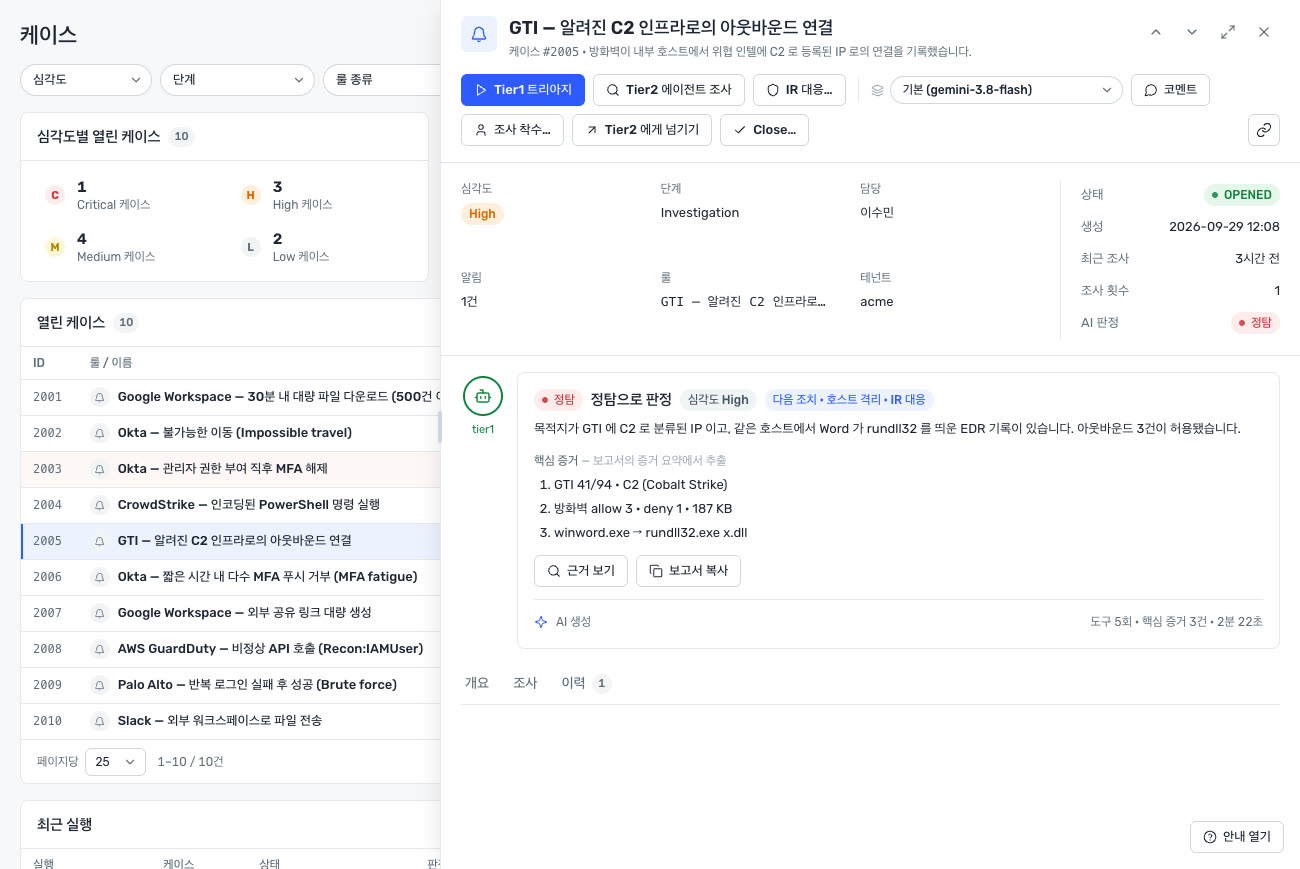
The AI reads. An analyst approves changes.
What the AI may and may not do is drawn in code, and everything it does is logged.
| Control | What it does |
|---|---|
| Analyst approval | Closing a case, changing priority, response actions and installing rules never run without it. |
| Prompt injection catch | A sentence in a log that tries to steer the AI is read as data only, and the catch is recorded. |
| Run limits | Lookups per run, runs per hour and daily spend are capped. |
| Activity log | Who saw and changed what. What our operators do is in your log too. |
| Public references | Controls are reviewed against MITRE ATLAS and NIST AI RMF 1.0. A self-review, not a certification. |
Google Cloud
One more analyst
on Google SecOps
No new SIEM. It reads the logs and SOAR cases already in your SecOps and writes its verdicts on the case, within your project's permissions and nothing more.
Google SecOps
SIEM search, SOAR cases and detections, curated rules. It reads and writes only within your project's permissions.
Threat intelligence
Google Threat Intelligence and AlienVault OTX, switched on and off by you, looked up with your own keys.
Kept per customer
Run records and the activity log live in a database of your own, in the Seoul region. You set how long they're kept.
Three tiers, the same AI SOC
Every tier has everything on this page. What differs is the Google SecOps package it runs with.
The whole AI SOC
With Google SecOps Standard. Triage, threat hunting, detection engineering, analyst approval, the activity log, AI controls.
The whole AI SOC
With Google SecOps Enterprise. The AI SOC is the same as in Standard.
The whole AI SOC
With Google SecOps Enterprise Plus. The AI SOC is the same as in Standard.
SecOps features that differ by package (retention, curated detections, threat intelligence) follow Google's packages. AI model usage is paid on your own account, and initial setup is agreed separately. We quote once we know the size of your environment.
Try it in the demo
Ask and we'll open a demo: the whole console on an invented customer's data. Pick a guided track and the screen moves for you.